
Summary
This article walks you through how to bulk remove users from a group.
Permissions
| Features | Company Settings |
| Permissions | Admin role OR Users & Groups Administration = Yes |
Bulk Remove Users from a Group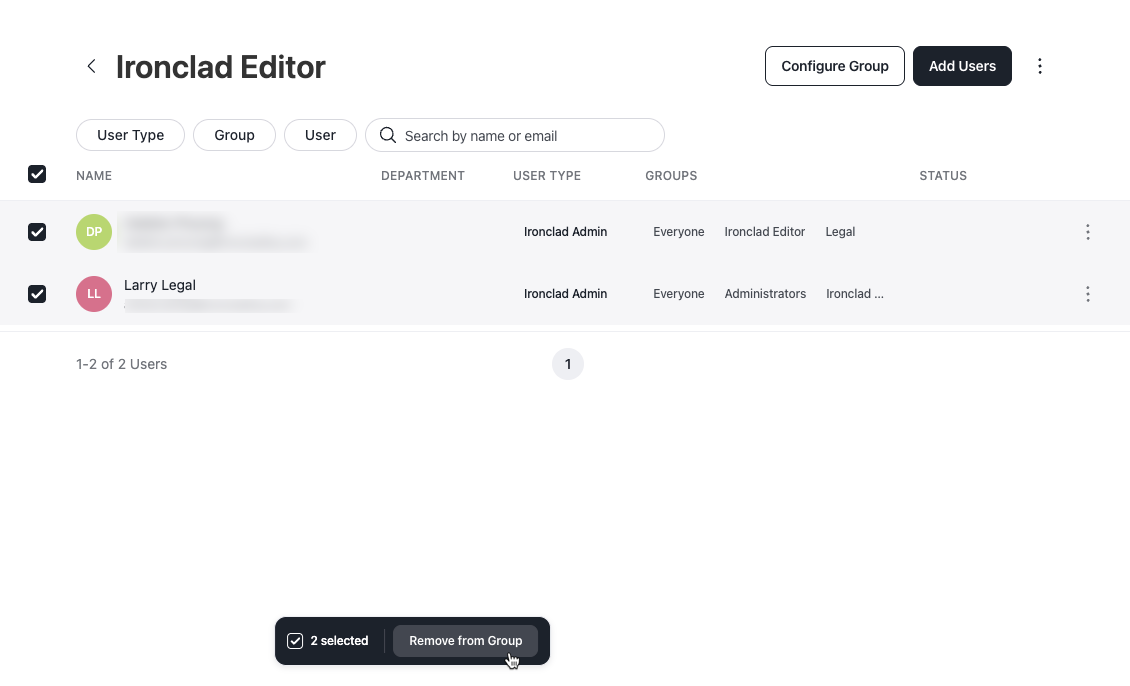
- Click on your profile icon located in the top right corner of Ironclad. Navigate to Company Settings > Groups.
- Click on the group you want to edit.
- Select the checkbox to the left of each user you want to remove. A menu bar displays at the bottom of the screen.
- To remove users from the group, click Remove from group. The users are removed from the group.
Resources
Explore articles, courses, and support options to get the most out of Ironclad.
Help Center
Academy
- No relevant resources at this time.