
Summary
This article walks you through how to change a user's email address.
Permissions
| Features | Company Settings |
| Permissions | Admin role OR Users & Groups Administration = Yes |
Change a User's Email Address 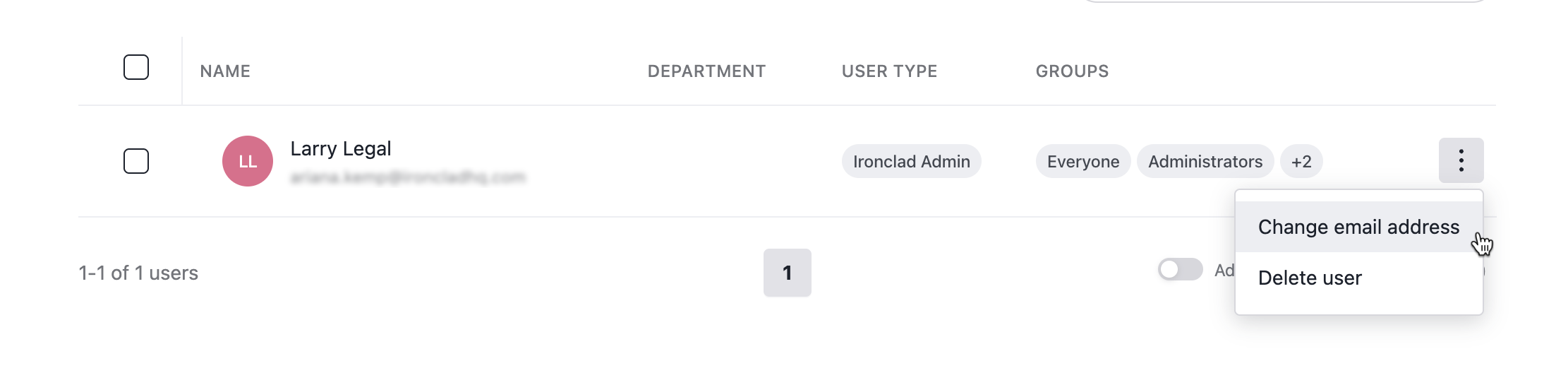
- Click on your profile icon located in the top right corner of Ironclad. Navigate to Company Settings > Users.
- Click the three dots next to the user, then select Change Email.
- Enter the new email address, then click Save.
Resources
Explore articles, courses, and support options to get the most out of Ironclad.
Help Center
- No relevant resources at this time.
Academy
- No relevant resources at this time.